 for Jira Cloud
Bring back a work item someone deleted by mistake
Jira Cloud has no recycle bin for a single work item. Once it is deleted, the item and its comments are gone. Restorable keeps a copy of each item inside your Jira site, so a Jira admin can bring a deleted one back in one click.
Submitted to the Atlassian Marketplace, waiting for approval
How it works
It keeps a copy
Each time a work item is created or changed, Restorable saves a copy in your Jira site's own app storage.
It notices the deletion
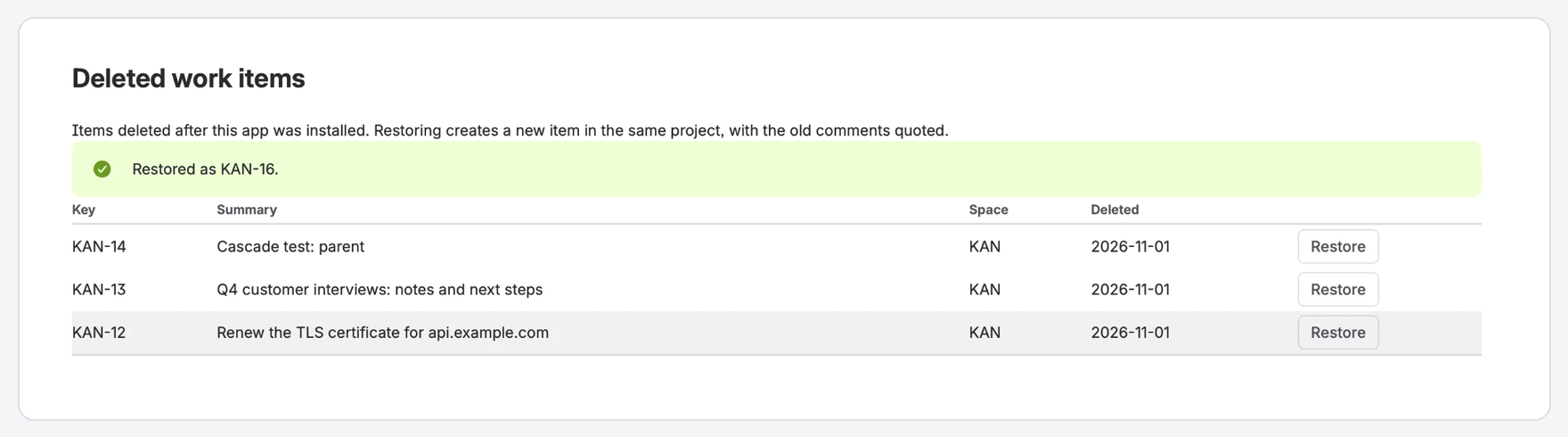
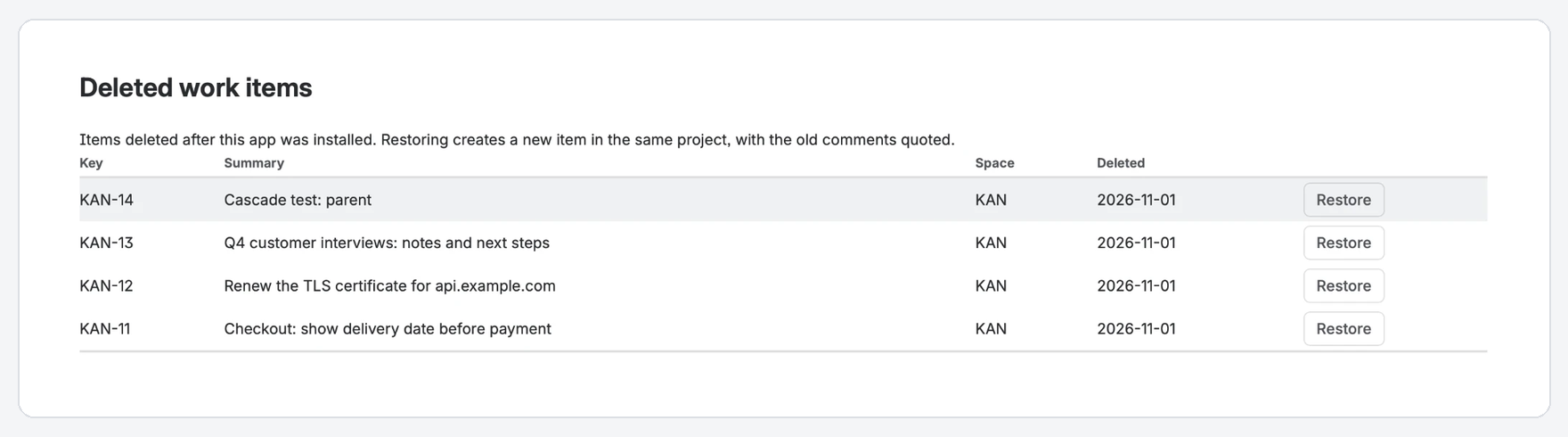
Deleted items appear on one page in Jira settings, with key, summary, space and date. A nightly check catches anything missed.
You press Restore
A new item is created in the same space, with the original's fields, status and links, and its comments quoted.
What comes back, and what does not
Comes back
- Summary, description, type, priority, labels, components, versions, due date, assignee and reporter
- Status, through your own workflow
- Links to other work items, in the same direction
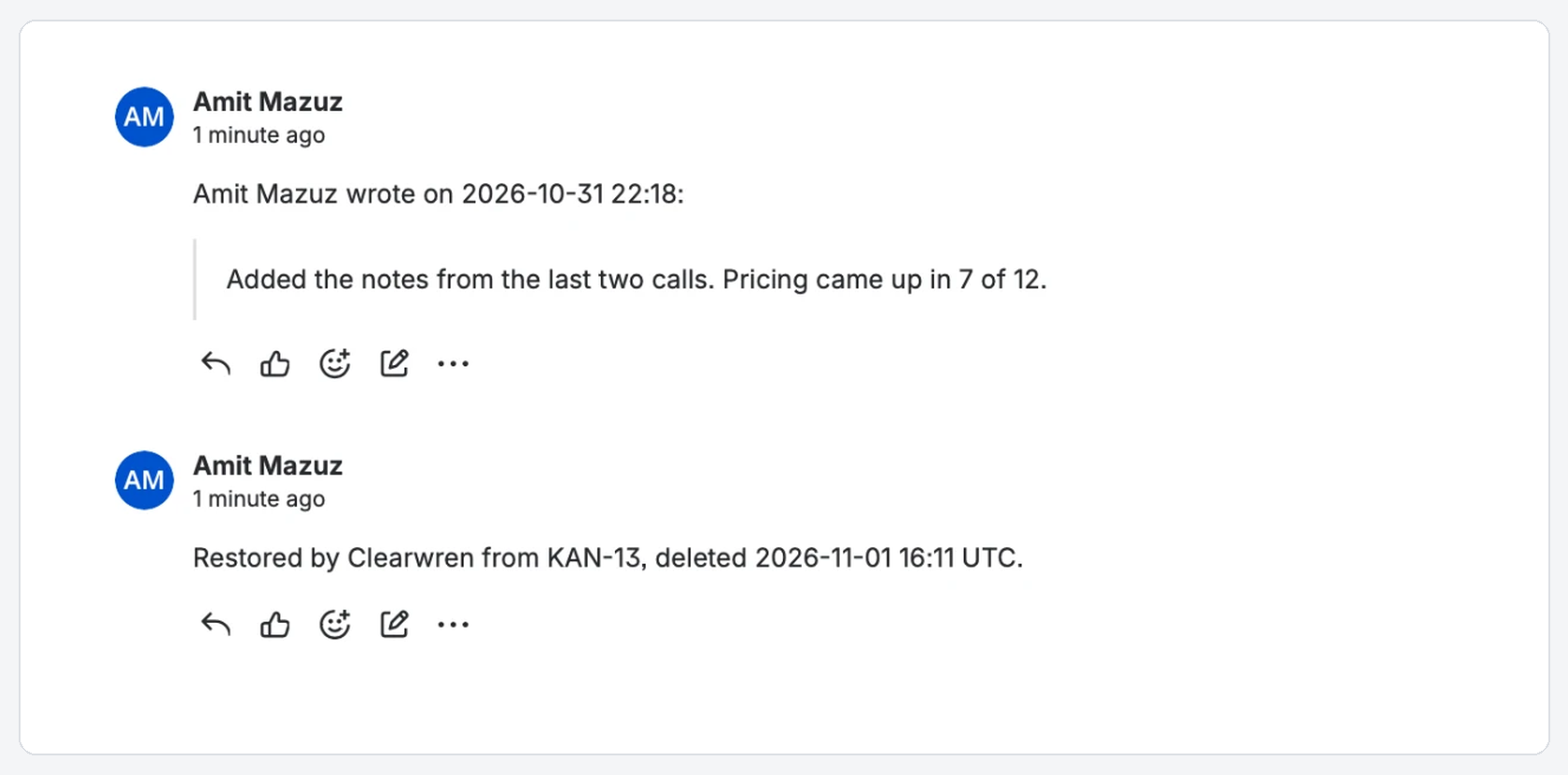
- Comments, quoted with author and time
- Sub-tasks, under their restored parent
Does not come back
- Attached files: Jira deletes them with the item. The restored item lists each file's name, size, uploader and date, so you know whom to ask.
- The old key: the new item gets a new one, and a comment records the old key.
- Work logs and change history.
- Items deleted before Restorable was installed.
Price
Free for Jira sites of up to 10 users. For larger sites, priced per user through the Atlassian Marketplace: about $15 a month for 50 users.
Billing, trials and invoices are handled by Atlassian.
Your data stays in your Jira site
Restorable runs on Atlassian's own platform. The copies are kept in your Jira site's app storage, not on our servers; we have none. The app sends no analytics and calls no outside service. Copies of deleted items are removed after 90 days, and uninstalling removes them all. Details in the privacy policy.
Questions
- Can it bring back an item deleted last month?
- Only if Restorable was already installed and had a copy of it. It cannot recover items deleted before the install.
- Who can restore?
- Jira administrators, from Jira settings. The page only shows items from spaces the admin can browse, and keeps security levels.
- Does Jira not do this already?
- Not for single work items. Atlassian's own feature request for it, JRACLOUD-36415, has been open since 2014. Restoring a site backup replaces the whole site.
- Is there a free trial?
- Yes, through the Atlassian Marketplace, and it stays free for sites of up to 10 users.
Documentation
Last updated: 4 November 2026
Install and first steps
- Install Restorable from the Atlassian Marketplace. A Jira administrator installs it once for the whole site.
- Nothing to configure. From then on, the app copies each work item when it is created or changed.
- Items that existed before the install are copied the first time someone changes them. An item that was never copied cannot be restored.
Where to find it
Jira settings (the gear icon) > Apps > Deleted work items in the left menu. Only Jira administrators can open this page.
The deleted work items page
The page lists every deleted item the app holds a copy of, with its key, summary, space and the date it was deleted. You see only items from spaces you can browse. Items that had a security level show "(restricted by a security level)" instead of their summary.
The app notices most deletions as they happen. A nightly check also compares the copies with the items still in Jira, to catch deletions it missed, for example sub-tasks deleted together with their parent. Check now runs that check immediately.
Restoring an item
Press Restore. The app creates a new work item in the same space and brings back:
- summary, description, work type, priority, labels, components, fix versions, due date, assignee and reporter;
- status (the app moves the new item through the workflow to the original status when a transition allows it);
- links to other work items, in the same direction;
- the old comments, quoted, each with its author and time;
- the parent: a sub-task comes back under its parent, or under the restored parent if the parent was deleted and restored first.
A comment from the app on the new item records the old key and anything that could not be carried over. If Jira refuses a field (for example a version that no longer exists), the app restores the item without it and says so in that comment.
What a restore cannot bring back
- Attached files. Jira deletes them with the item. The restored item lists each one (name, size, who added it and when), so you know whom to ask for a copy.
- The old key. The new item gets a new key; the app's comment records the old one.
- Work logs and history, and the original authors and times of comments (they are quoted, not re-created).
- Items deleted before the app was installed, or never changed since.
Retention
Copies of deleted items are kept for 90 days and then removed. A copy is removed as soon as its item is restored, and the restored item is protected again from then on. Uninstalling the app deletes all copies.
Licence
Without an active licence the page still lists deleted items and the app keeps copying, but Restore is turned off until the licence is active again.
Privacy and security
Restorable runs on Atlassian's platform. The copies stay in your Jira site's own app storage; the app calls no outside server and sends no analytics. Details: privacy policy and terms.
Support
Email support@clearwren.com. We reply within one working day.